Using Northbeams
Watch the live feed
Last updated 2026-07-13
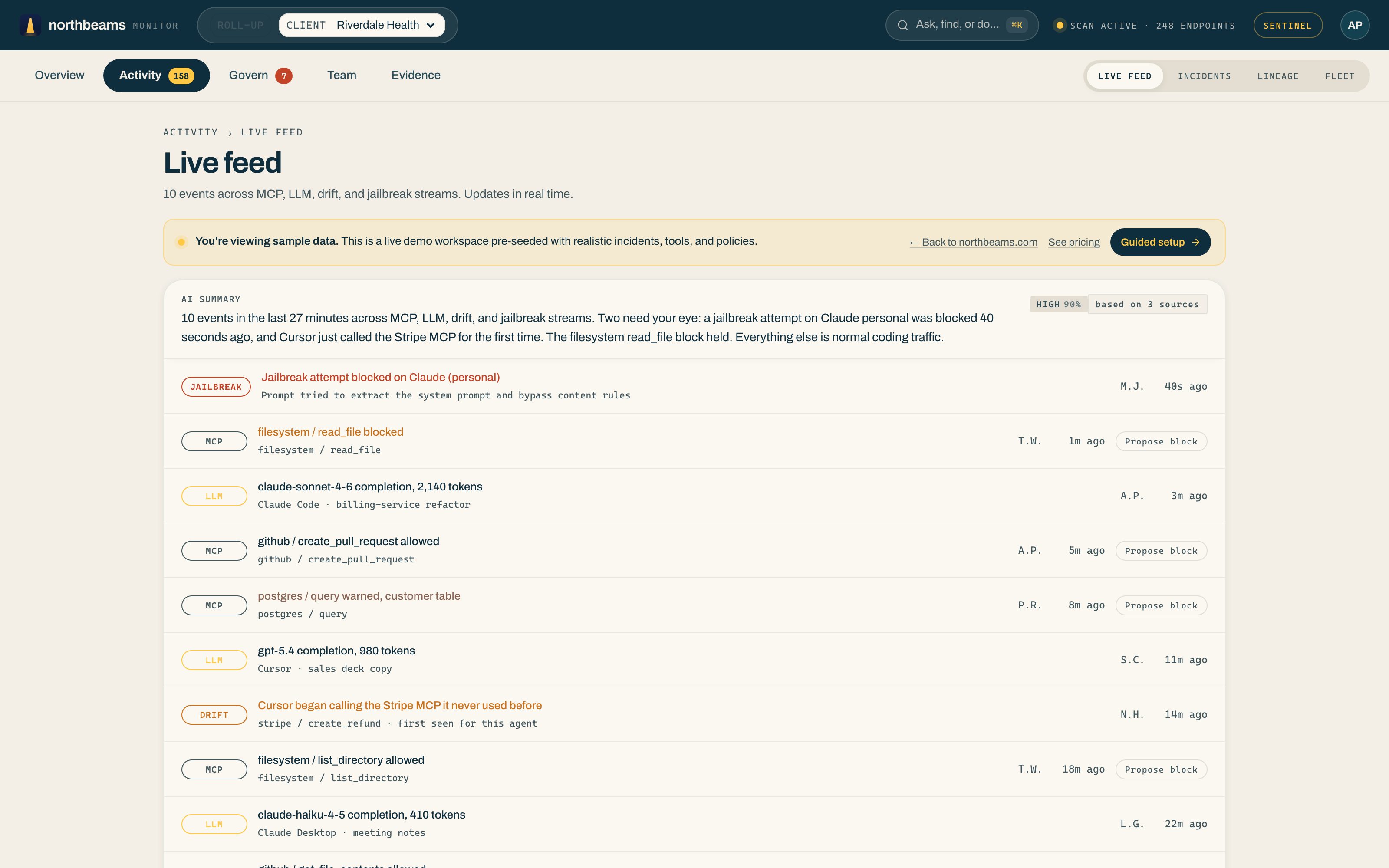
Under Activity, then Live feed is the raw stream behind the numbers on your Overview: every AI action across your team, MCP, LLM, drift, and jailbreak events alike, in order, as it happens.
Reading the feed
An AI summary at the top calls out the couple of events that need your eye. Below it, each row is one event:
- When it happened and who did it.
- Which tool was used.
- What was involved (for example, "pasted source code into DeepSeek Chat"), with sensitive content redacted.
- The disposition: allowed, warned, or blocked.
Making it useful
- Filter by severity, tool, or user to answer a specific question.
- Export to CSV for a report or a ticket.
- Anything serious enough to act on also lands in Incidents.